01 / Before take-off
Choose an amount during the betting window. Check the currency and the game’s limits before confirming.
See the controlsFURY FLIGHT / GAME INFORMATION
Pick your settings before take-off. Follow the multiplier. A cash-out has to be accepted before the flight ends.
ROUND FLOW
Choose an amount during the betting window. Check the currency and the game’s limits before confirming.
See the controlsWhen the betting window closes, the flight begins. Follow the current multiplier in the main game area; earlier multipliers remain in the history strip above it.
RTP & volatilityAn accepted cash-out settles at its multiplier. If the flight ends first, the active bet is lost.
Round by roundGAME INTERFACE
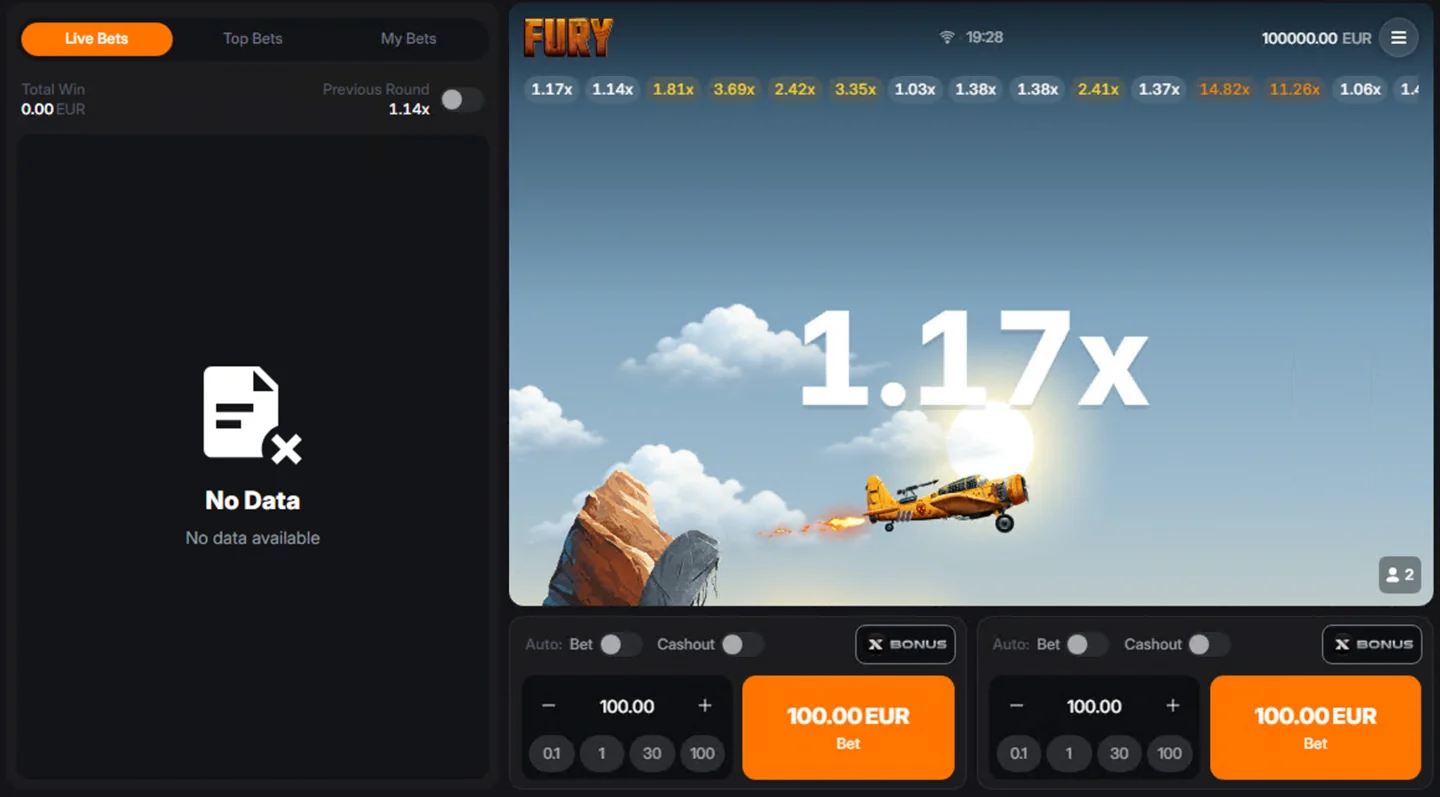
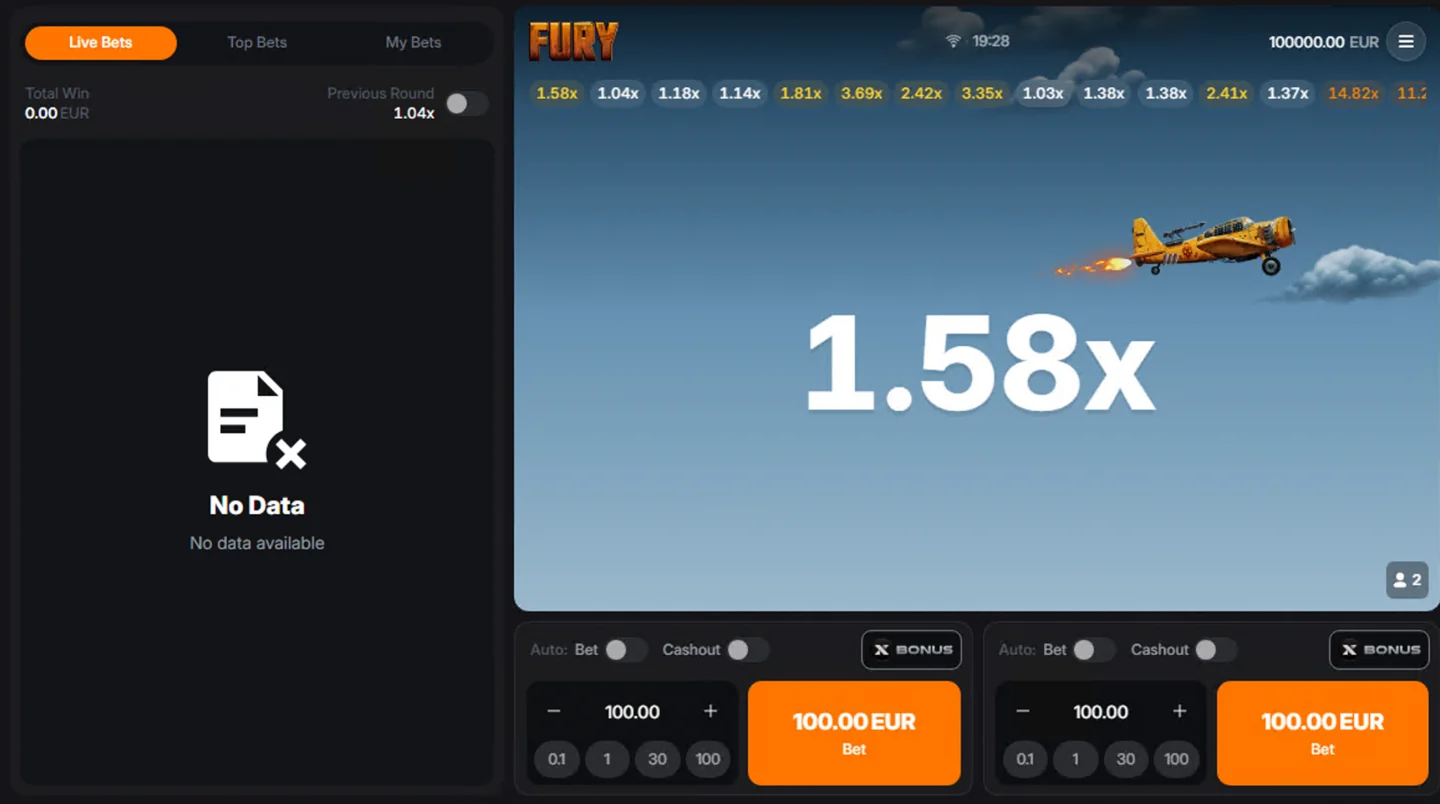
These two captures show the controls and multiplier at different moments. For a current round, use the game client rather than the values in a static image.
THE GAME
The game screens show two separate bet panels. Check each active amount and target before the betting window closes. You can inspect the same layout in the Fury Flight demo interface.
The interface includes an Auto Bet control. Review its settings and stop conditions in the game before enabling repeated bets. Use session limits and stopping tools alongside any repeated-bet setting.
Set a multiplier target before a round. The flight must reach it; a higher target adds a longer wait and a greater chance the round ends first.
PAYOUT EXAMPLE
If an accepted 10-credit bet settles at 1.80x, the total return is 18 credits: the original 10 plus 8. This is an arithmetic example, not a prediction of a future round.
A button press and a confirmed cash-out are different events. Check the round history for the final recorded result. The cash-out confirmation checks cover what to do after a connection problem.
The large number in the flight area is the multiplier for the current round. The 1.17x and 1.58x values in the game screens are snapshots from two captured moments. They are not fixed payouts or suggested cash-out targets.
Once a bet is active, a cash-out needs to reach the game and be accepted before the round ends. The number seen on a delayed screen can differ from the server state. After an interruption, use the recorded round result to check what happened.
Multiply the active stake by the accepted cash-out value. The resulting amount is the total returned, including the stake. Subtract the stake to calculate the gain on that completed bet.
| Stake | Accepted cash-out | Total returned | Gain |
|---|---|---|---|
| 10 | 1.20x | 12 | 2 |
| 10 | 1.50x | 15 | 5 |
| 10 | 2.00x | 20 | 10 |
| 10 | No accepted cash-out before the end | 0 | −10 |
These examples explain the arithmetic only. They do not show the probability of reaching a multiplier, and credits here do not imply a particular account currency.
The captured interface has two panels beneath the flight. Each shows minus and plus controls, a numeric amount, quick amount buttons and an orange Bet button. Review both panels when changing settings; a value shown in one panel does not tell you what is selected in the other.
The screenshots show 100.00 EUR in the panels and a 10000.00 EUR balance at the top. These are values from the captured session, not the minimum bet, a welcome balance, a universal limit or a real-money offer. Check the current client for its own amounts and currency.
Two panels do not create two separate flights. If both are active in the same round, they share that round’s ending. Treat each amount as exposure to the same event rather than assuming one panel protects the other.
| Control | Purpose | What to check |
|---|---|---|
| Auto Bet | Controls repeated bet placement according to the game’s settings. | Amount, number of rounds and any stop conditions offered by the client. |
| Auto Cashout | Sets a multiplier at which to request or apply cash-out under the game’s rules. | Target value and confirmation that the setting applies to the intended panel. |
The Cashout switch is separate from Auto Bet in each captured panel. Check both before the betting window closes. Turning on repeated bets does not by itself establish a cash-out target, and choosing a cash-out target does not mean repeated betting is enabled.
For the practical difference between a manual decision and a preset target, read manual cash-out vs Auto Cashout. If the client shows different controls, use its own rules rather than the appearance of a screenshot.
The horizontal strip above the flight contains previous multipliers. It gives context about completed rounds. It cannot tell you when the current flight will end, and a sequence of low values does not mean a high multiplier is due.
The left panel has Live Bets, Top Bets and My Bets tabs, plus Total Win and Previous Round labels. Both screenshots show “No Data” in that panel while the plane and multiplier are visible. An empty activity list therefore needs to be distinguished from a failure of the entire game screen.
My Bets is the relevant place to look for your own recorded activity where the client provides it. A result in a public activity feed is not confirmation that your own action was accepted. See missing history and bet confirmation help if a record is absent.
Content reviewed: · Game details & sources · Report a correction