Open the public demo
Launch the external game or use its new-tab link.
Go to demoFURY FLIGHT / HELP
Start with the screen you can see. These checks cover the most common demo and browser problems.
LOADING & CONNECTION
Open the new-tab link on the demo page. Reload once, confirm your internet connection and try an up-to-date browser. If both views fail, the provider may be unavailable or access may be restricted in your location.
The public game client can open without establishing a game session. Try reconnecting once. If the same message returns, stop and try later; do not enter account or payment details into an error page.
Open it in a separate tab, rotate the phone to landscape and close the on-screen keyboard. Use the mobile browser’s normal zoom level.
Check the game’s recorded round result after reconnecting. A local animation or click does not prove that the game server accepted the action. For an account session, contact the service where that session took place.
Browser privacy settings or the external host can block embedded content. Use the direct demo link rather than disabling protections for unrelated sites.
THE GAME
Launch the external game or use its new-tab link.
Go to demoScreen size, orientation and browser tips.
Mobile helpKnow who can help with a website issue or an account problem.
Contact optionsThis website cannot restart the external game service or confirm why its server rejected a session. A restriction in your location should not be bypassed with an unknown app, proxy or installer.
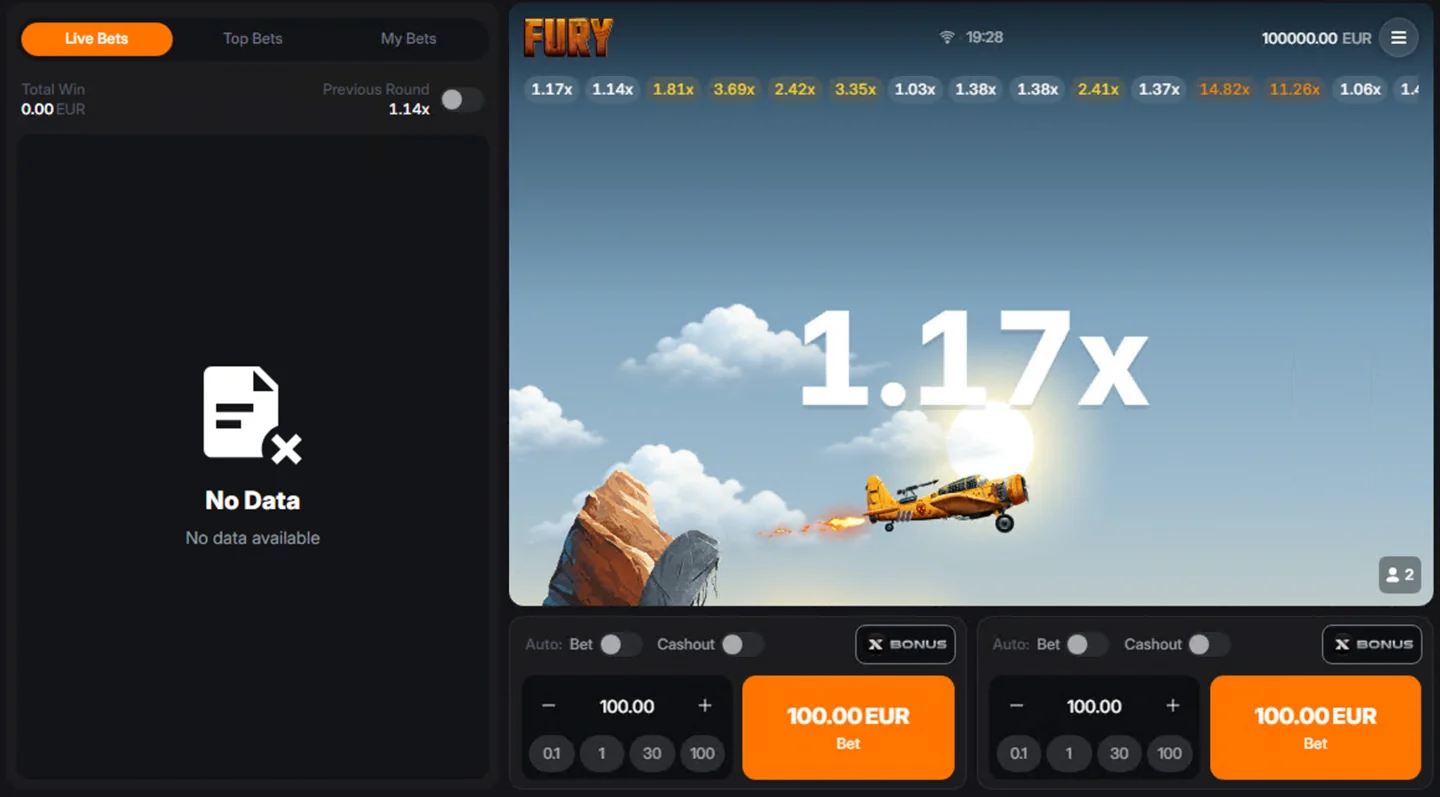
The left-side activity list and the flight area are separate parts of the interface. “No Data” under Live Bets is not the same message as a blank game frame or a client-wide connection error. Check the selected tab and the client’s current session status.
For your own activity, look for the recorded entry under My Bets where available. Note the round identifier, time and the exact message shown if you need support. A screenshot of a balance or a button does not prove that a particular bet or cash-out was accepted.
If an account session is involved, the service holding that account must resolve its records. The website contact address cannot inspect game-server logs or change a settled result. See contact and support routes.
If only the embedded player is blank, try the separate-tab version. A browser can treat embedded content differently from a full page. Keep ordinary privacy protections in place rather than disabling them across every site.
If both views are blank, update the browser and try once without other resource-heavy tabs. On a phone, check that the screen is not simply zoomed into an empty part of the page. If the client itself supplies an error message, follow that message rather than treating every failure as a cache issue.
Reconnect and inspect the recorded result. Do not assume the last visible multiplier was the value accepted by the game. A delayed frame, a tap animation and a confirmed server result are different things.
Keep the round ID and timestamp if they are available, and avoid posting account identifiers publicly. If you cannot find a record, contact the account service with those details. The cash-out rules explain the difference between the calculation and acceptance of an action.
Content reviewed: · Game details & sources · Report a correction